Using the App
Giving Stamps
By phone number ( new customers )
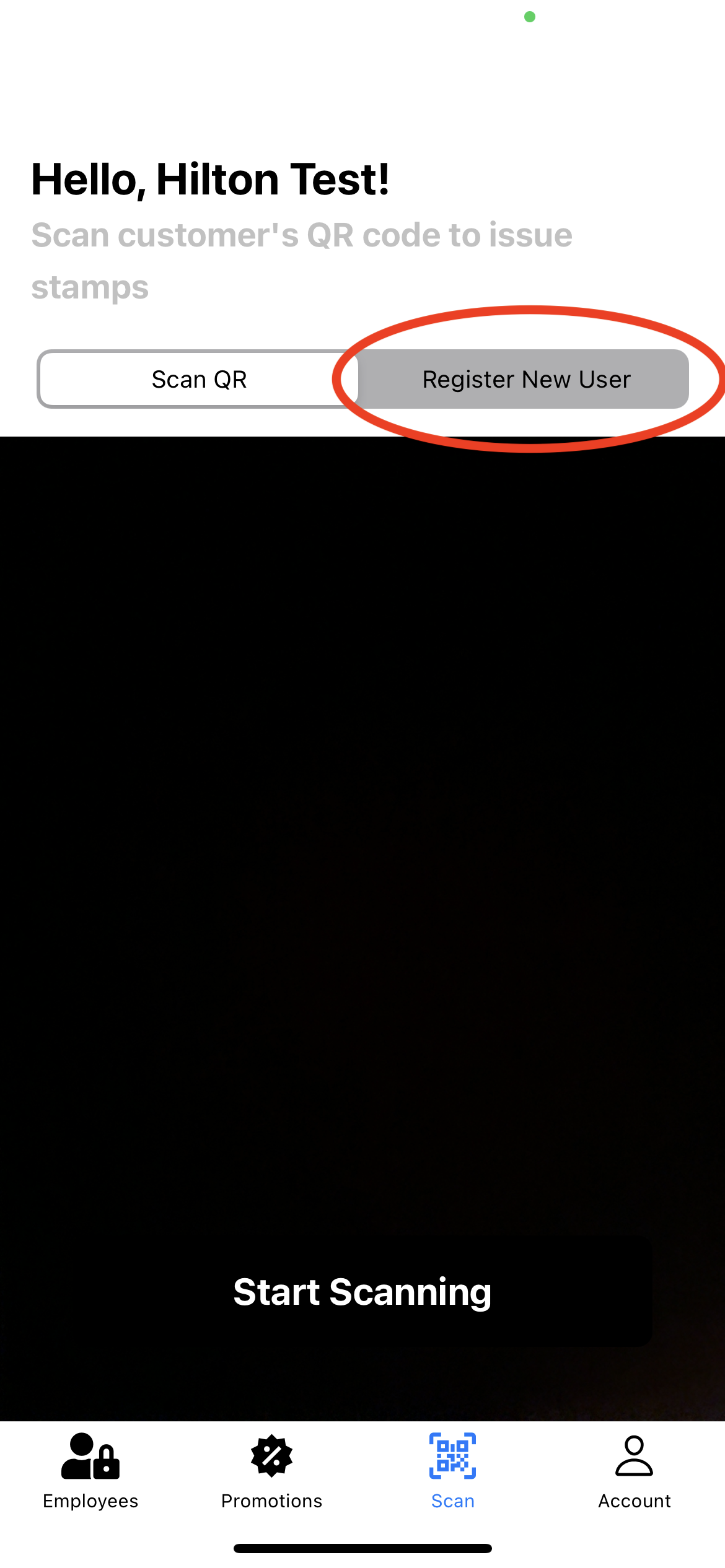
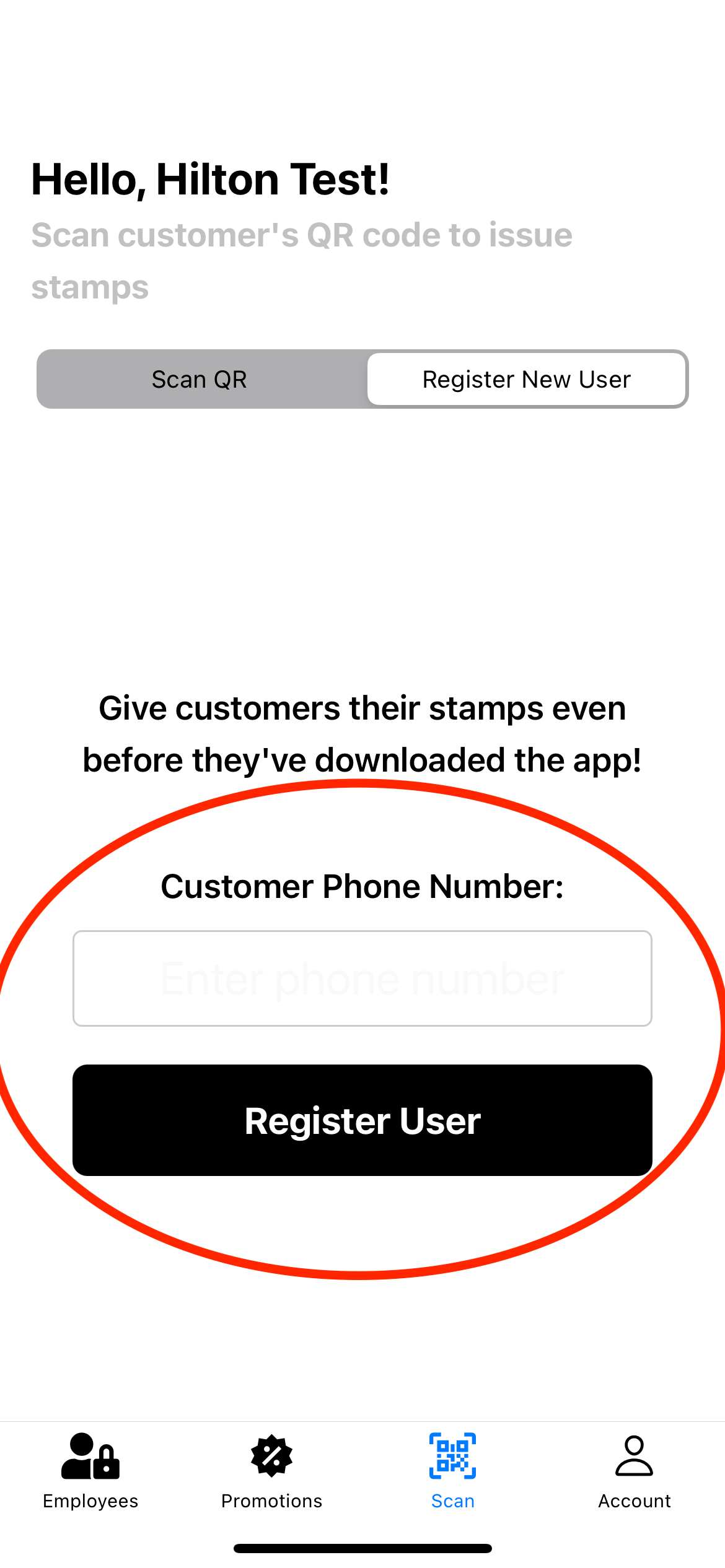
Customers can earn stamps by phone number even before they've downloaded the app!
| 1. Click "Register New User" | 2. Enter phone number and press "Register User" |
|---|---|
 |  |
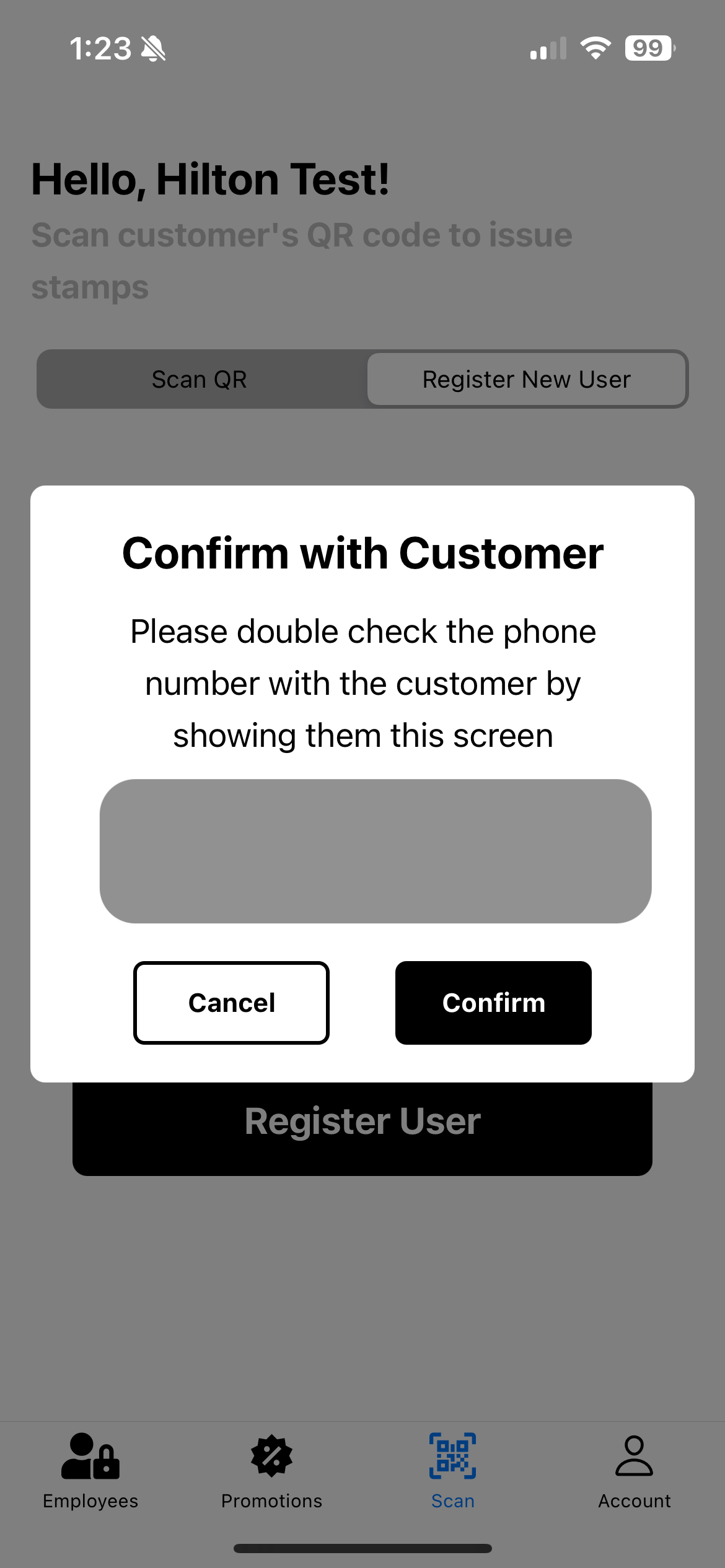
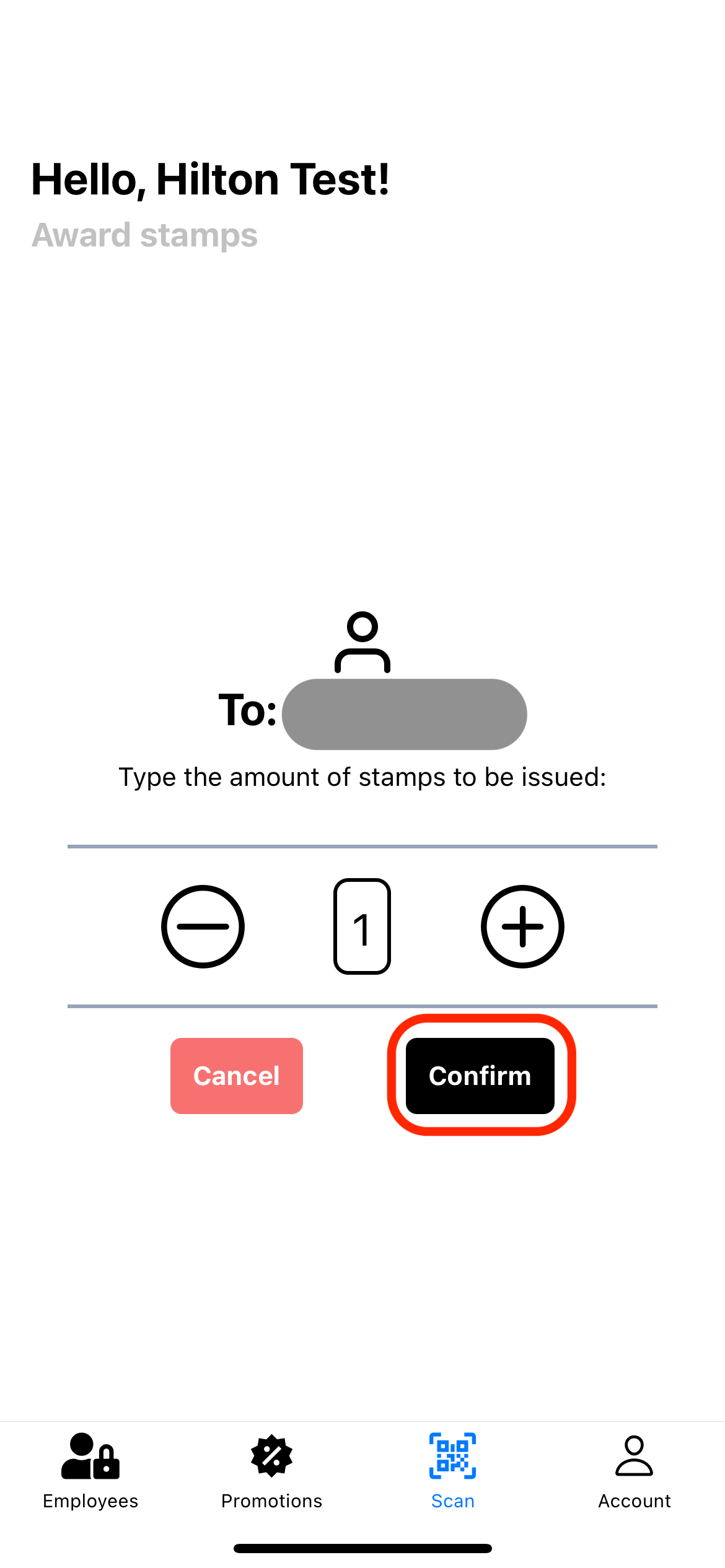
| 3. Confirm with Customer | 4. give stamps and click "Confirm" |
|---|---|
 |  |
By Scanning QR Code ( returning Customers )
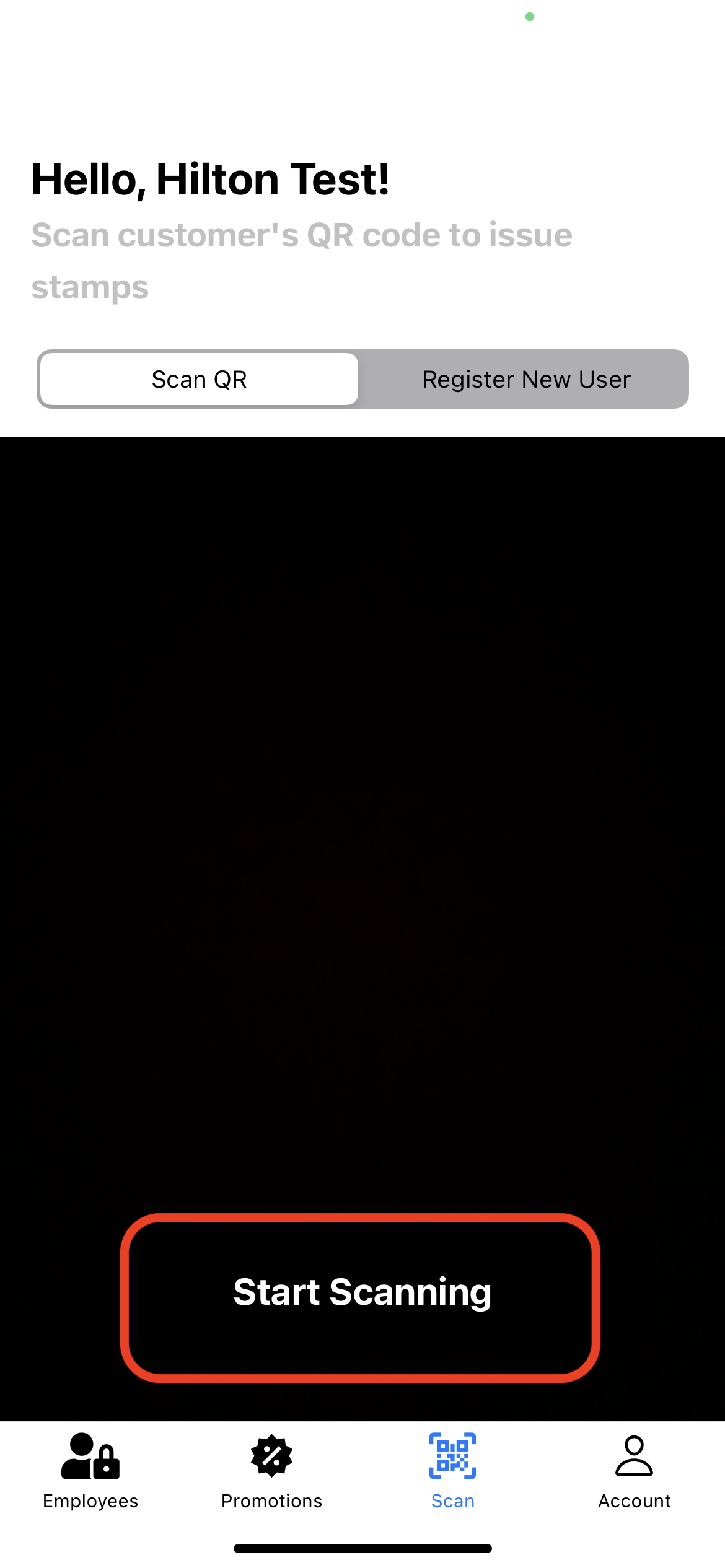
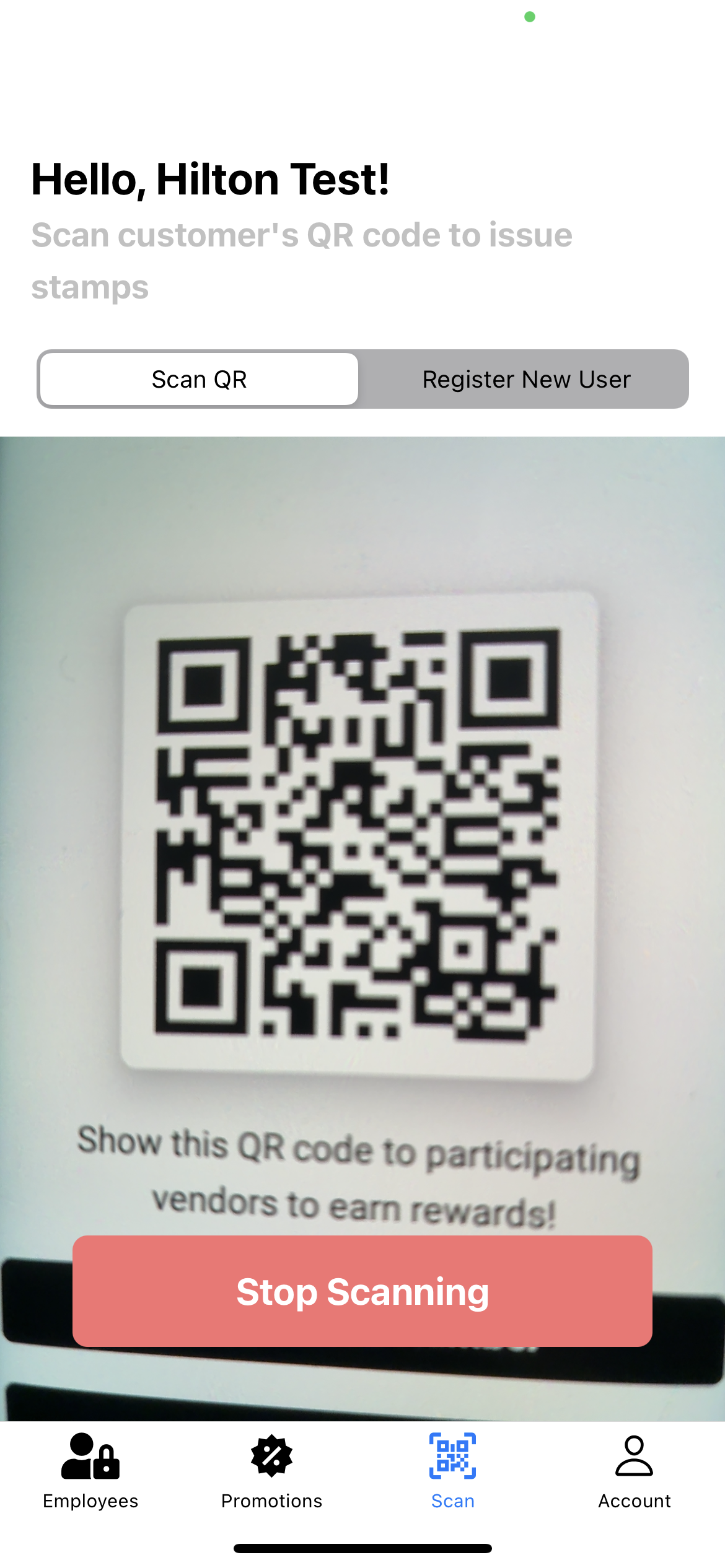
| 1. Click "Start Scanning" | 2. Scan Customer QR Code | 3. Give Stamps |
|---|---|---|
 |  | |
Adding your co-workers
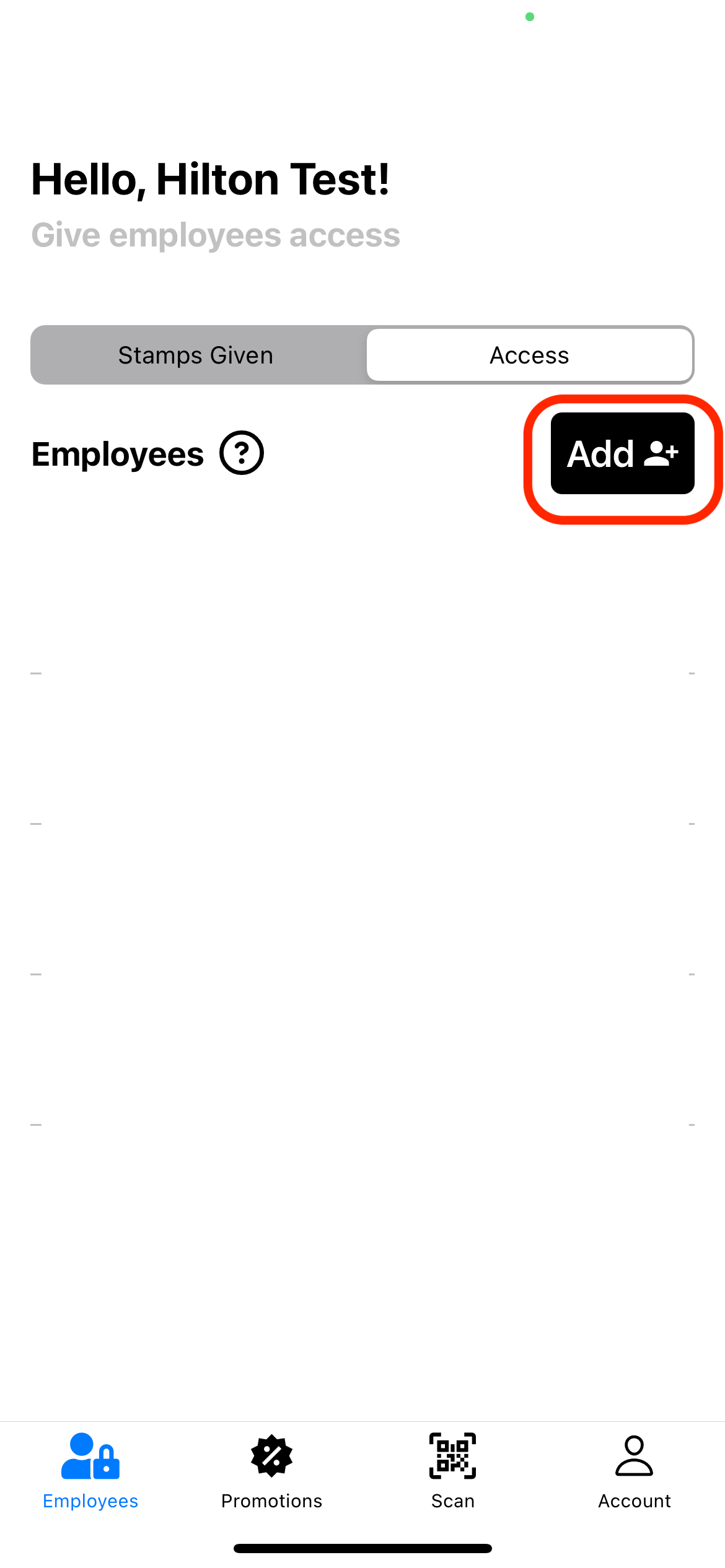
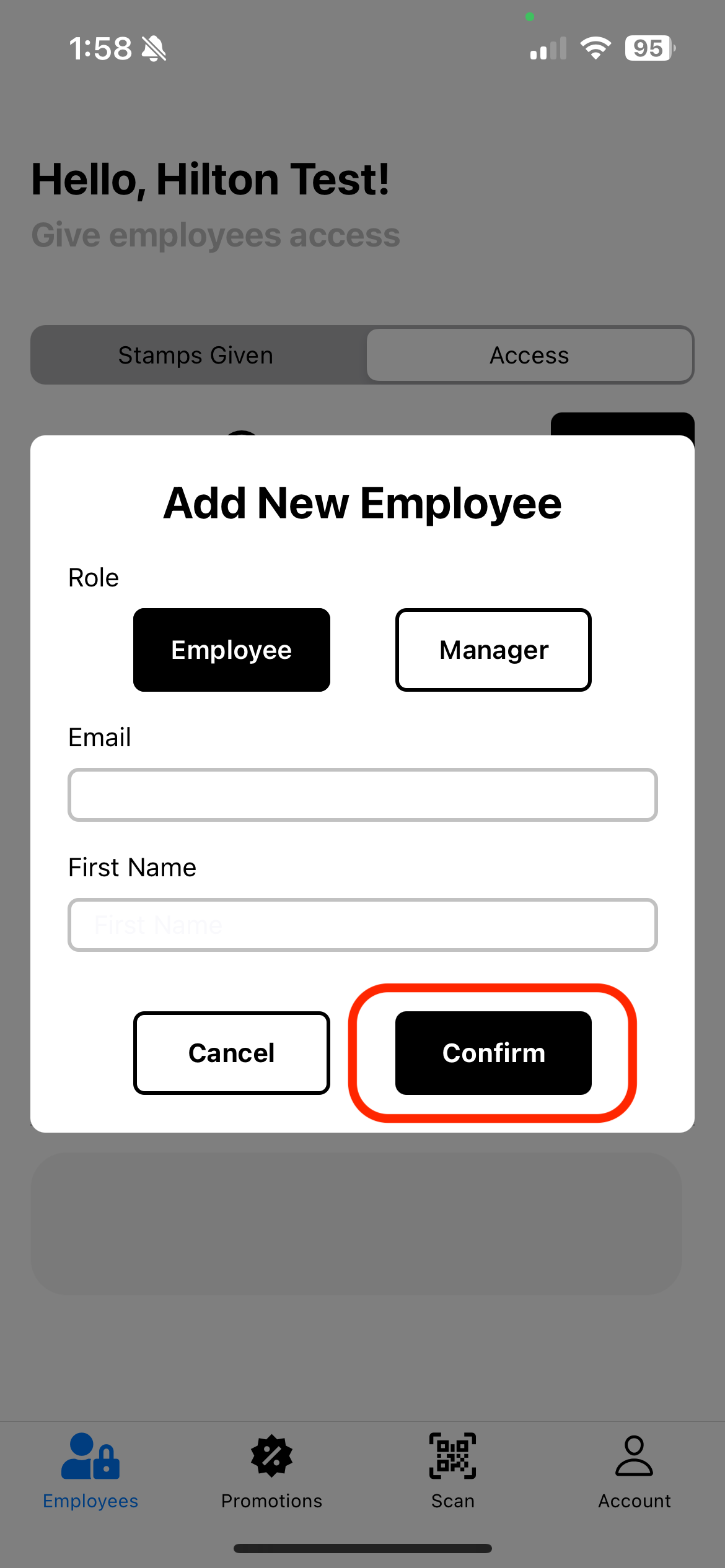
Does your co-worker need access? Follow these steps to add them!
| 1. Click "Add" | 2. Enter co-worker email + first name |
|---|---|
 |  |
Tips and Tricks
Sign in with Gmail or Apple ID
We highly recommend you create your employee account using Gmail or Apple ID. This will make it easier to sign in to the app if you are ever logged out!
Asking customers if they have LocaLoyalty
Asking customers if they have LocaLoyalty is the most important step. If they don't have the app, you can register them as a new user. If they do have the app, you can scan their QR code to give them stamps.